
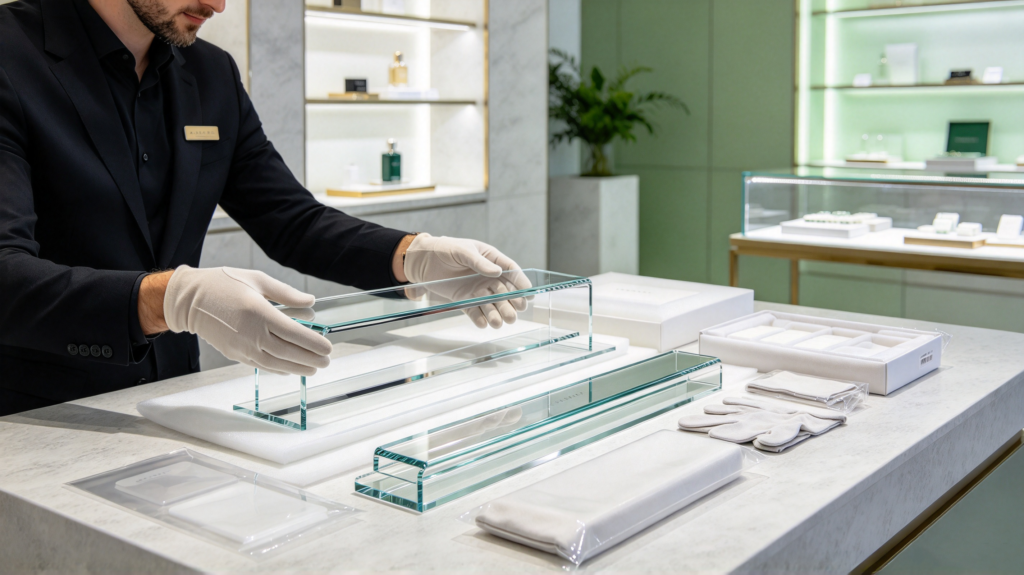
How to Prevent Scratches on Acrylic Display Stands
Acrylic display stands are popular in retail stores, exhibitions, cosmetics shops, jewelry stores and other commercial spaces because they are lightweight, transparent and easy to customize. However, acrylic can develop scratches if it is handled, cleaned or transported incorrectly.
If you want to know how to prevent scratches on acrylic display stands, the key is to protect the surface throughout manufacturing, shipping, installation and daily use.
Why Do Acrylic Display Stands Get Scratched?
Acrylic is durable, but its surface can be scratched by rough materials, dust particles, improper cleaning tools and careless handling.
Common causes include:
- Abrasive cloths or paper towels
- Dust and dirt rubbing against the acrylic surface
- Sharp tools used during installation
- Stacking acrylic products without protection
- Poor packaging during transportation
- Incorrect cleaning methods
- Contact with rough metal or other hard surfaces
For commercial displays, even small scratches can reduce visual clarity and make a finished product look less attractive.
1. Keep Protective Film on During Production
One of the simplest ways to prevent scratches is to keep the protective film on acrylic sheets for as long as possible.
During cutting, polishing, printing and assembly, the film helps protect the surface from dust and minor contact damage. The film can then be removed before the display is installed or delivered to the end customer.
For custom projects, manufacturers should also make sure the working area and production equipment are properly maintained to reduce surface contamination.
2. Use Proper Packaging During Shipping
Transportation is another important stage when learning how to prevent scratches on acrylic display stands.
Individual acrylic components should be separated with suitable protective materials. Depending on the product structure, manufacturers may use protective film, foam, PE bags, cardboard separators or customized packaging.
For larger or more complex displays, the packaging should also prevent movement inside the carton. Excessive movement can cause acrylic parts to rub against each other during transportation.
3. Clean Acrylic with the Right Materials
Never use abrasive cleaning pads or rough cloths on acrylic.
For routine cleaning, use:
- A soft microfiber cloth
- Clean water
- A suitable acrylic or plastic cleaner when necessary
First remove loose dust and particles, then gently wipe the surface. Avoid pressing hard because trapped dust can act like tiny abrasive particles.
This simple cleaning method can significantly reduce surface scratches during daily maintenance.
4. Avoid Dragging Acrylic Displays
When moving an acrylic display stand, lift it instead of dragging it across a countertop or other surface.
Dragging can scratch the bottom of the display and may also damage attached components.
For retail environments, consider using protective pads or suitable feet underneath the display. This can reduce direct contact with rough surfaces and make the display easier to reposition.
5. Choose the Right Acrylic Design
Good design can also help reduce the risk of surface damage.
For example, frequently handled areas can be designed with appropriate edges, clearances and protective components. If the display contains metal hardware, the contact points should be carefully considered during product development.
For custom acrylic displays, these details can be discussed with the manufacturer before production begins.
6. Protect Acrylic During Installation
Installation is another stage where scratches can easily occur.
Avoid placing acrylic components directly on concrete floors, rough tables or other abrasive surfaces. Keep protective film on the parts until installation is complete whenever possible.
If tools are required, keep them away from exposed acrylic surfaces and use protective materials between the acrylic and other components.
7. Work with an Experienced Acrylic Manufacturer
Preventing scratches is not only about what happens after production. Manufacturing processes also influence the final surface quality.
An experienced acrylic manufacturer can control cutting, polishing, printing, assembly and packaging processes to reduce unnecessary surface damage.
For custom projects, buyers should discuss surface protection, packaging requirements and handling procedures with the manufacturer before mass production.
Final Thoughts
Knowing how to prevent scratches on acrylic display stands can help retailers and brands maintain a clean, professional appearance for longer.
The most important practices are simple: keep protective film on during production, use suitable packaging, clean acrylic with soft materials, avoid dragging displays and handle them carefully during installation.
For custom acrylic display projects, MORICH provides product development, OEM/ODM customization and manufacturing support for businesses looking for finished acrylic display solutions.